Can one WiFi 7 Router Handle Multiple Devices at Home?

For many households in Singapore, it can. Take a typical 4-room HDB flat with 3 to 4 people living under one roof. Whether one router can keep up depends on more than just the number of devices connected. What matters is what everyone is doing online, where they're using their devices and whether those devices can make full use of the WiFi setup.
Think about a standard evening at home. You are on a video call. Someone’s gaming in the bedroom. The TV is streaming in 4K. A few phones are scrolling away. Meanwhile, smart cameras, appliances and other connected devices are quietly staying online in the background.
That is a much better test of your home WiFi than simply counting how many devices you own.
WiFi 7 routers are designed to support multiple connected devices and manage wireless traffic more efficiently, even when several people are online at the same time. However, actual performance still depends on factors such as device compatibility, router placement and home layout.
In this guide, you’ll learn how to:
For many households, one WiFi 7 router can handle multiple devices at the same time.
However, how well your WiFi performs also depends on what your devices are doing and where they are located and what your router can support.
Here is a quick starting point.
Household activity
|
What to expect
|
|---|---|
| Multiple phones scrolling social media | Usually manageable, as activity tends to happen in short bursts |
| Streaming 4K videos while gaming online | Requires more sustained bandwidth and responsive connections |
| Video calls, streaming and downloads happening simultaneously | Places greater demands on your network as multiple devices actively share the connection |
| Smart cameras, appliances and other connected devices | Often use smaller amounts of data in the background, although usage varies |
| Devices connected in rooms further from the router | WiFi performance may be affected by distance, walls and other obstacles |
A simple rule: it is not simply about the number of connected devices, but what they're doing simultaneously that truly counts.
Why does having multiple devices connected affect your WiFi?
Your broadband connection is shared across all the devices connected to your home network. That means your router has to manage internet traffic between phones, laptops, TVs, gaming consoles and other connected devices, sometimes all at once.
However, not every connected device places the same demand on your network.
For example, a phone sitting idle may use very little bandwidth, while a smart TV streaming 4K content requires a more continuous flow of data. Online gaming, on the other hand, may not always use large amounts of bandwidth, but it relies on low latency, which means how quickly data travels between your device and the game server.
Now imagine all these activities happening simultaneously: your router must coordinate these connections while sharing the available wireless capacity.
This is why the number of devices alone doesn't determine how well your WiFi performs.
A few devices carrying out demanding activities can place more pressure on your network than many devices that are mostly idle.
Your router's capabilities matter too.
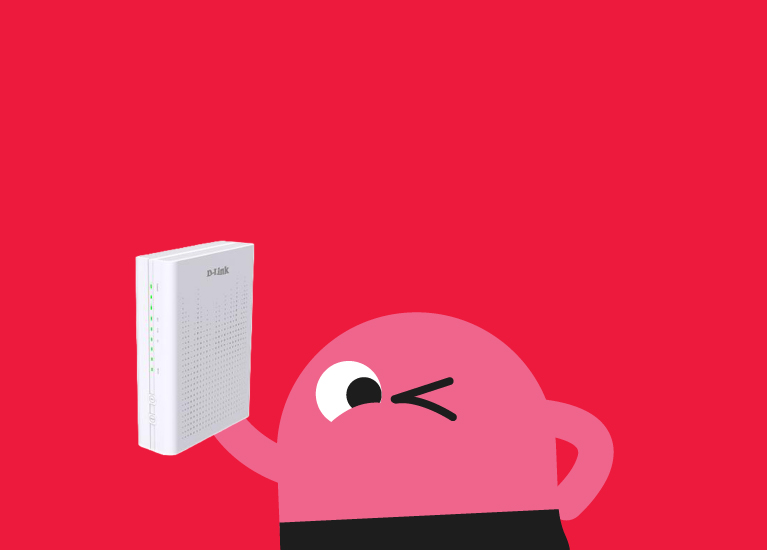
With GOMO Broadband, you get a D-Link WiFi 7 router with professional installation included. The router features a 4×4 wireless design with MU-MIMO which is designed to improve wireless capacity and handle multiple connected devices efficiently, while WiFi 7 features such as Multi-Link Operation (MLO) and EasyMesh provide further support for a connected home.
Fun fact:
A 4×4 WiFi design uses multiple transmit and receive streams to help the router communicate with compatible devices more efficiently, and provide wider coverage throughout the home. In a busy home with multiple connected devices at the same time, this can help make better use of your wireless network.
How does WiFi 7 improve connection for multiple devices?
WiFi 7 is a newer wireless standard designed to improve speed, efficiency and responsiveness for compatible devices, especially when several devices are active.
But what does that actually mean for your household?
Here are some features that can help.
1. More efficient connections with multiple devices
WiFi 7 routers, such as what GOMO Broadband offers, use technologies such as Multi-User, Multiple-Input Multiple-Output (MU-MIMO) to communicate with multiple compatible devices more efficiently.
Rather than treating every connected device as if it were the only one on the network, supported routers can manage wireless transmissions across multiple devices. This can be useful in homes where several people are streaming, gaming or working online simultaneously.
2. More ways for compatible devices to communicate
WiFi 7 introduces Multi-Link Operation (MLO), which allows compatible devices to connect across multiple frequency bands. Depending on the devices and configuration, this can help improve connection efficiency, reduce latency or provide more consistent performance. Actual MLO performance is however dependent on device compatibility and configuration.
For example, a compatible laptop or phone may be able to make better use of the available wireless connections when other devices are active.
However, both your router and connected device need to support the relevant WiFi 7 features to benefit from them.
3. Better use of available wireless capacity
WiFi 7 also introduces improvements that allow compatible devices to transfer data more efficiently under suitable conditions. This can be helpful when several devices are carrying out bandwidth-intensive activities at once.
However, WiFi 7 does not mean unlimited bandwidth or guaranteed speeds for every device. Actual performance still depends on your broadband connection, device compatibility, network conditions and home environment.
How does GOMO Broadband’s WiFi 7 router support multiple devices in a busy household?
Your router plays an important role in how your broadband connection is distributed throughout your home.
With GOMO Broadband, you get a D-Link WiFi 7 4×4 router with professional installation included. The router features a 4×4 wireless design, using four transmit and four receive paths to support multiple wireless data streams.
Together with supported technologies such as MU-MIMO, this helps the router manage communication with multiple compatible devices more efficiently.
Picture a typical evening at home.
Someone's on a video call: A responsive connection helps conversations stay clear and reduces the likelihood of delays caused by the home network.
Someone's gaming online: Low latency matters for keeping gameplay responsive, especially when other devices are active.
The TV is streaming in 4K: Sustained bandwidth helps keep high-resolution content playing without frequent buffering.
Phones are scrolling and streaming: Multiple devices can share the wireless network while carrying out everyday activities.
Smart devices are connected in the background: Cameras, appliances and other devices can remain connected alongside more active users.
GOMO Broadband's WiFi 7 router is designed to support this kind of multi-device environment, helping compatible devices make more efficient use of the wireless network.
From the GOMO Team 💡
A 4×4 WiFi router doesn't mean only four devices can connect to it! The 4×4 refers to the router's transmit and receive paths, not a four-device limit.
However, even a capable WiFi 7 router cannot guarantee the same performance for every device. Older devices may not support WiFi 7 features, and connections can still be affected by distance, interference and the number of devices actively transferring data.
How can you tell if your router is keeping up with your household?
Rather than focusing only on how many devices your router supports, look at how your WiFi performs during your household's usual activities.
Start with these checks:
If...
|
Try...
|
|---|---|
| WiFi works well when fewer people are online but slows during busy periods | Check which activities are using the most bandwidth and whether multiple large downloads are happening |
| Gaming becomes less responsive when someone starts downloading large files | Check for network congestion and consider prioritising latency-sensitive activities if your router supports it |
| WiFi is strong near the router but weak in certain bedrooms | Check router placement or consider extending WiFi coverage with another mesh router. |
| Older devices perform differently from newer devices | Check their supported WiFi standards and connection capabilities |
| Most activities work well even when everyone is online | Your existing router setup may already be sufficient |
The key is to identify whether the issue comes from simultaneous network usage, device limitations or WiFi coverage. These are different problems, and they may require different solutions.
From the GOMO Team 💡
Want to know if your router can keep up? Put it through your household's usual evening routine. Try using your WiFi when everyone is home and online, while keeping your usual phones and smart devices connected. Then, check whether your normal activities work as expected.
If performance drops mainly when multiple people are doing demanding activities, investigate your network usage and connected devices. If WiFi works well near the router but becomes weaker in other rooms, check your router placement and coverage first.
The goal isn't to connect as many devices as possible. It's to make sure your household can do what it needs to do, without unnecessary interruptions.
What should you look for when choosing a router for your home?
The right router depends on how your household uses the internet.
Before deciding whether you need a new router or additional WiFi equipment, consider the following.
Think about simultaneous usage, not just device count.
A household with several people regularly gaming, streaming and working online may have different networking needs from one where most devices are used for occasional browsing.
Consider what happens during your busiest hours rather than simply counting how many devices you own.
Check your device compatibility.
A WiFi 7 router can support compatible older WiFi devices, but those devices will not automatically gain WiFi 7 capabilities.
Your connection performance will still depend on what each device supports.
Consider your home layout.
A single router may provide sufficient coverage in one home but struggle to reach certain rooms in another.
If your home has long corridors, thick walls or multiple floors, additional WiFi coverage may be useful.
Want to find out more optimal router placement? Check out this guide on where to place your router for better coverage.
Choose a broadband setup that fits your needs.
With GOMO Broadband, you get a D-Link WiFi 7 4×4 router and professional installation included, with a 24-month contract.
Alternatively, opt for our 12-month contract that allows you to use your own compatible router.
Both options let you choose a setup based on the equipment you already have and how you want to get connected. Whichever option you choose, getting the right router setup matters just as much as having a fast broadband connection.
Need another router?
If your WiFi works well near the router but struggles to reach certain rooms, an additional router could help extend your coverage.
With GOMO Broadband, you can easily purchase an additional compatible router through the GOMO app. Pair it with your existing router to form a mesh network for wider coverage around your home.
Frequently asked questions about WiFi 7 routers and multiple device connections
Can a WiFi 7 router handle multiple devices at the same time?
Yes, a WiFi 7 router is designed to manage multiple connected devices. The D-Link WiFi 7 router included in the GOMO Broadband 10Gbps Value Saver plan uses a 4×4 wireless design that supports multiple wireless data streams. Actual performance depends on factors including what your devices are doing, device compatibility, router placement and your home environment.
Does having more connected devices always make WiFi slower?
Not necessarily. The number of devices matters less than the amount and type of network activity happening across them. Several idle smart devices may place less demand on your connection than a smaller number of devices simultaneously streaming, downloading or making video calls.
Will a WiFi 7 router make my older devices WiFi 7?
No. Your device needs to be compatible with WiFi 7 to make full use of WiFi 7. An older device can still connect to WiFi, as WiFi is backward compatible (meaning a WiFi 7 router can support older WiFi standards like WiFi 5 and 6) but its experience will be limited by its own hardware and specifications.
Is one router enough for an HDB flat?
It depends on your flat layout, where the router is placed, whether there are obstacles between rooms and where you use WiFi most.
Start with one router placed in an open, reasonably central location where practical. If WiFi remains weak in harder-to-reach rooms, consider repositioning it or adding a second mesh router to extend coverage.
Want to find out more optimal router placement? Check out this guide on where to place your router for better coverage.
Does GOMO Broadband include a WiFi 7 router?
GOMO Broadband’s 24-month option includes a D-Link WiFi 7 4×4 router, while the 12-month option lets you use your own compatible router. Check the latest plan details before signing up.
Should I get another router just because I have lots of devices?
Not necessarily. First, check whether you actually have a performance or coverage issue. If WiFi works well near your router but becomes weak in particular rooms, improving placement or adding compatible mesh WiFi may be more relevant than simply focusing on the number of connected devices.
One WiFi 7 router can indeed be enough for your home.
From video calls and gaming to 4K streaming and smart devices running in the background, a capable WiFi 7 router is built to manage multiple connections at once.
However, even a powerful router has its limits and is subject to your household needs. Your home layout, router placement, and device compatibility also play a part in how well your WiFi performs.
With GOMO Broadband's D-Link WiFi 7 4x4 router, you've got a capable starting point for a busy, connected home. Because at the end of the day, good home WiFi isn't just about how many devices you can connect. It's about keeping up with how everyone actually uses them.
Ready to get your home connected? Check out GOMO Broadband plans today and find a setup that works for your household.
From your friendly GOMO Broadband expert ✌️