Unable to connect to internet
Important to note
Don’t press the “Reset” button on your Optical Network Terminal (ONT). Resetting it will remove its configuration.
To have it reconfigured, you'll need to visit a Self-Replacement Centre. A $21.80 reconfiguration charge will apply.
Follow these troubleshooting steps. Skip any that don’t apply to you.
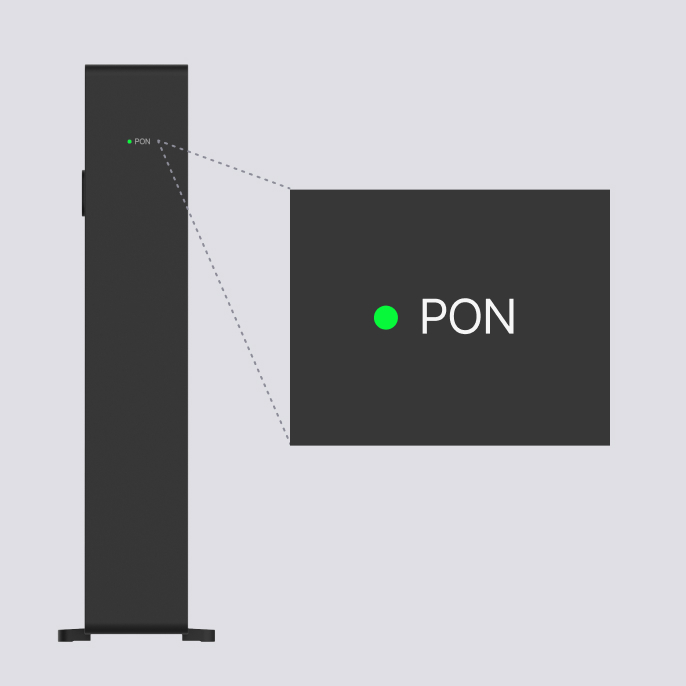
The PON light should be green.
If you see any of the following:
No light — check your fibre connection and restart your ONT by turning it off and on.
Red PON light — there may be an optical signal issue, check that your Fibre Patch Cord is securely connected. Ensure all cables are plugged in correctly.
Blinking PON light — turn your ONT off and on, and wait up to 5 minutes as your device may be connecting to the network.
Make sure that:
The power adaptor is securely connected to your ZTE F8018 ONT and switched on.
The fibre patch cable is inserted in the correct orientation and firmly connected to the PON port on your ONT. You should hear a “click” when connected.
If using a router, the ethernet cable is connected from the ONT's LAN port to your router’s internet (WAN) port.
Your router’s power adaptor is firmly connected to the router and the electrical switch.
Loose or incorrectly connected cables are the most common cause of connectivity issues.
After confirming all cables are securely connected:
Turn off your ONT.
Turn off your router (if applicable).
Wait 1–2 minutes.
Turn on the ONT first and wait for the PON light to turn green.
Turn on your router.
Connect your device directly to the ONT using the 10Gbps WAN port to the ethernet LAN port on your device.
If you get internet connectivity, your service is up and running.
For best results:
Make sure your device is 10Gbps compatible.
Turn off your device’s WiFi to avoid connecting to another network.
For GOMO-issued routers, view the troubleshooting guide for your router model:
If issues persist, contact D-Link directly:
D-Link 24-hour technical support hotline: +65 6501 4200
Live chat: dlink.com.sg/livechat
If you’re using your own router, check your router model’s guide for further troubleshooting.
Related articles
Didn’t find what you are looking for?
Ask Zenmo your questions.